
WordPress AI Website Builder & Theme Generator
Learn how use AI to build, customize, and edit WordPress Websites & Themes with PressMeGPT, an AI-powered WordPress theme builder.
Recent Articles
-

How to Convert an AI-Built Website to WordPress with PressMeGPT
Read more: How to Convert an AI-Built Website to WordPress with PressMeGPTAI website builders make it possible to create an impressive website in minutes. Tools such as Lovable, Framer, Cursor, Bolt, v0, Wix AI, and other AI-powered builders can help you turn an idea into a polished design without starting from a blank canvas. But a prototype is not always the best long-term home for a…
-

Landing Page vs Website: What’s the Difference and Which One Do You Need?
Read more: Landing Page vs Website: What’s the Difference and Which One Do You Need?If you are building an online presence, you may be wondering whether you need a complete website or just a landing page. The short answer is that they serve different jobs. A website gives people a complete picture of your business. It can include your homepage, About page, service pages, blog, contact details, store, booking…
-

PressMeGPT vs Brizy: Which AI WordPress Theme Generator Is Better?
Read more: PressMeGPT vs Brizy: Which AI WordPress Theme Generator Is Better?AI has changed how WordPress websites are designed. Instead of starting with a blank installation, searching through hundreds of templates, and manually arranging every section, users can now describe a website and let AI create a working design. Two products that attract attention in this space are PressMeGPT and Brizy. Both can help users create…
-
Our biggest update yet: Improved AI Website Copies, Instant WP Previews, Multi-Image, Expandable Intelligent Chat
AI WordPress Theme Generator, AI WordPress Themes, Release Notes, WordPress AI Website Builder, WordPress Builders, WordPress Page BuildersRead more: Our biggest update yet: Improved AI Website Copies, Instant WP Previews, Multi-Image, Expandable Intelligent ChatWe just shipped the largest PressMeGPT update since launch — with major improvements to how websites are copied, edited, previewed, and shared. Update 1: More Accurate Website Copies Previously, PressMeGPT relied primarily on one method to understand and recreate a website originally built on AI sites like Base44, Lovable, Bolt.new, and and Claude. Now, we…
-
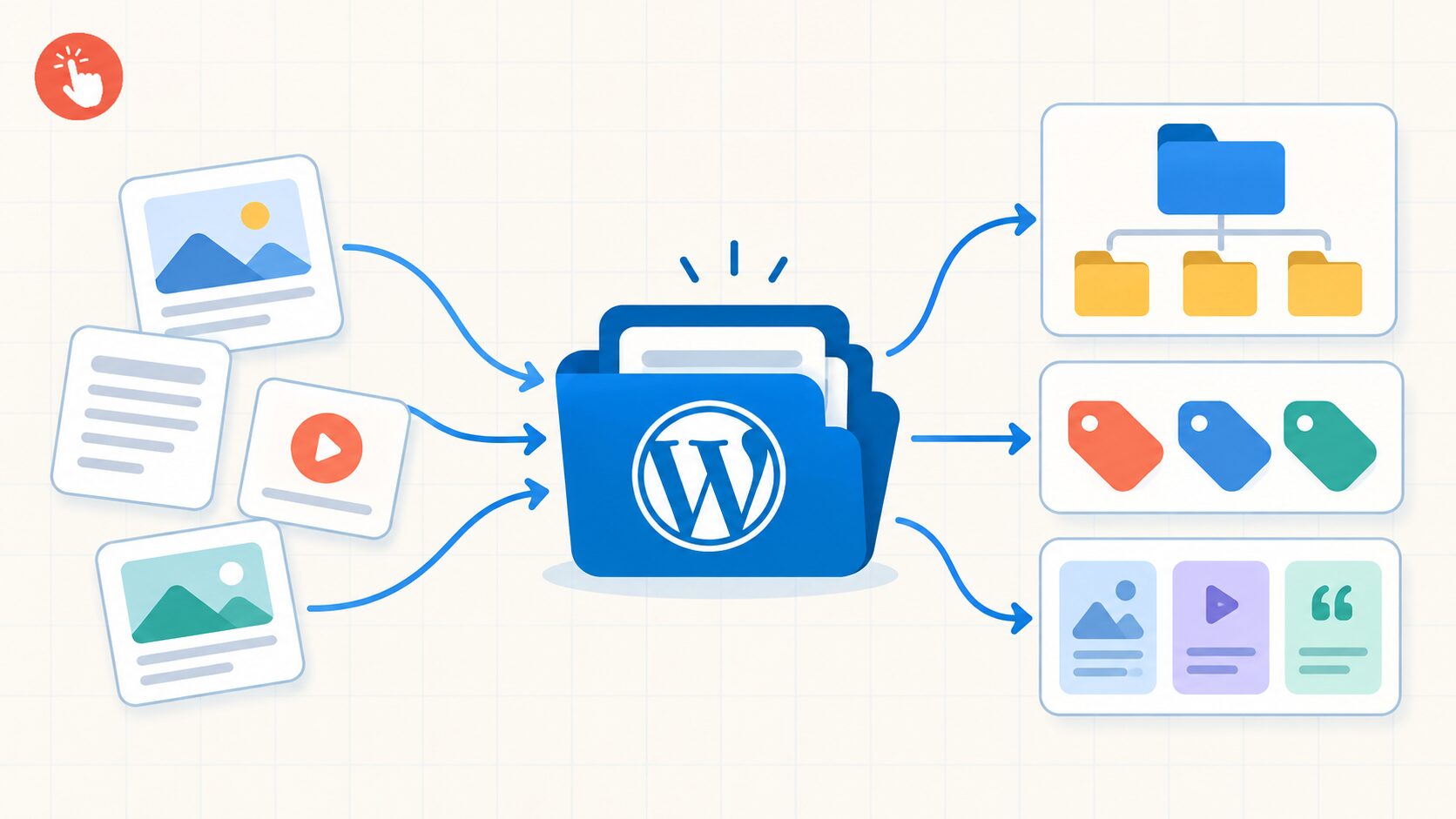
What Is Taxonomy in WordPress? Categories, Tags, and More
Read more: What Is Taxonomy in WordPress? Categories, Tags, and MoreTaxonomy in WordPress is the system used to classify related content. It helps you group posts, products, portfolio items, case studies, and other content so visitors and site owners can find it more efficiently. Categories and tags are the familiar examples, but WordPress also supports custom taxonomies for specific content models. A well-planned taxonomy can…
-

Why AI Generated Websites Need a CMS Like WordPress
Read more: Why AI Generated Websites Need a CMS Like WordPressAI can generate a polished website in minutes. It can suggest a layout, write starter copy, choose colors, create sections, and produce a convincing homepage before you have finished your coffee. But a homepage is not the same thing as a complete website system. As a business grows, the website needs to do more than…
-

10 Benefits of Using an AI Website Builder
Read more: 10 Benefits of Using an AI Website BuilderBuilding a website traditionally can take weeks of planning, designing, coding, testing, and revisions. For small businesses, startups, freelancers, and creators, the process can quickly become expensive and difficult to manage. An AI website builder simplifies many of these tasks. It can help generate layouts, improve design decisions, speed up development, and make website management…